Arrive. Comes apart. Before and after. The cart. On a phone. Tap a dot.
ArriveComes apartBefore and afterThe cartOn a phoneTap a dotArriveComes apartBefore and afterThe cartOn a phoneTap a dotArriveComes apartBefore and afterThe cartOn a phoneTap a dotArriveComes apartBefore and afterThe cartOn a phoneTap a dot
Demo 10 / Product page
See one product sold the way a story is told.
Lumiere is a demonstration: the same made-up hair concealer as the Lumiere shop, sold a different way. One long page, and the product comes apart as you scroll. The page lives right here on hiiqbiz.com, with a sample cart that shows how buying works and sends nothing. Five chapters, numbered dots on every screen, and narration if you want it.
01 / The walkFive chapters. Any order.
Pick achapter.
Every picture is a real screenshot of the demo page. The product, its claims and the pictures are sample content; the page is real, and you can open it at the end. Narrated by Tabitha Nieva, a voice made in my own studio.
01ArriveThe price is on the button
hiiqbiz.com/demo-gallery/lumiere/site/Desktop
Tap a numbered dot to see why I built it that way. 4 on this screen.
Chapter 01 · narrationOne line says what it is, and the button says what it costs. Order the compact, thirty-six dollars. Nobody has to hunt for the price.
02It comes apartScroll, and the product explains itself
Tap a numbered dot to see why I built it that way. 4 on this screen.
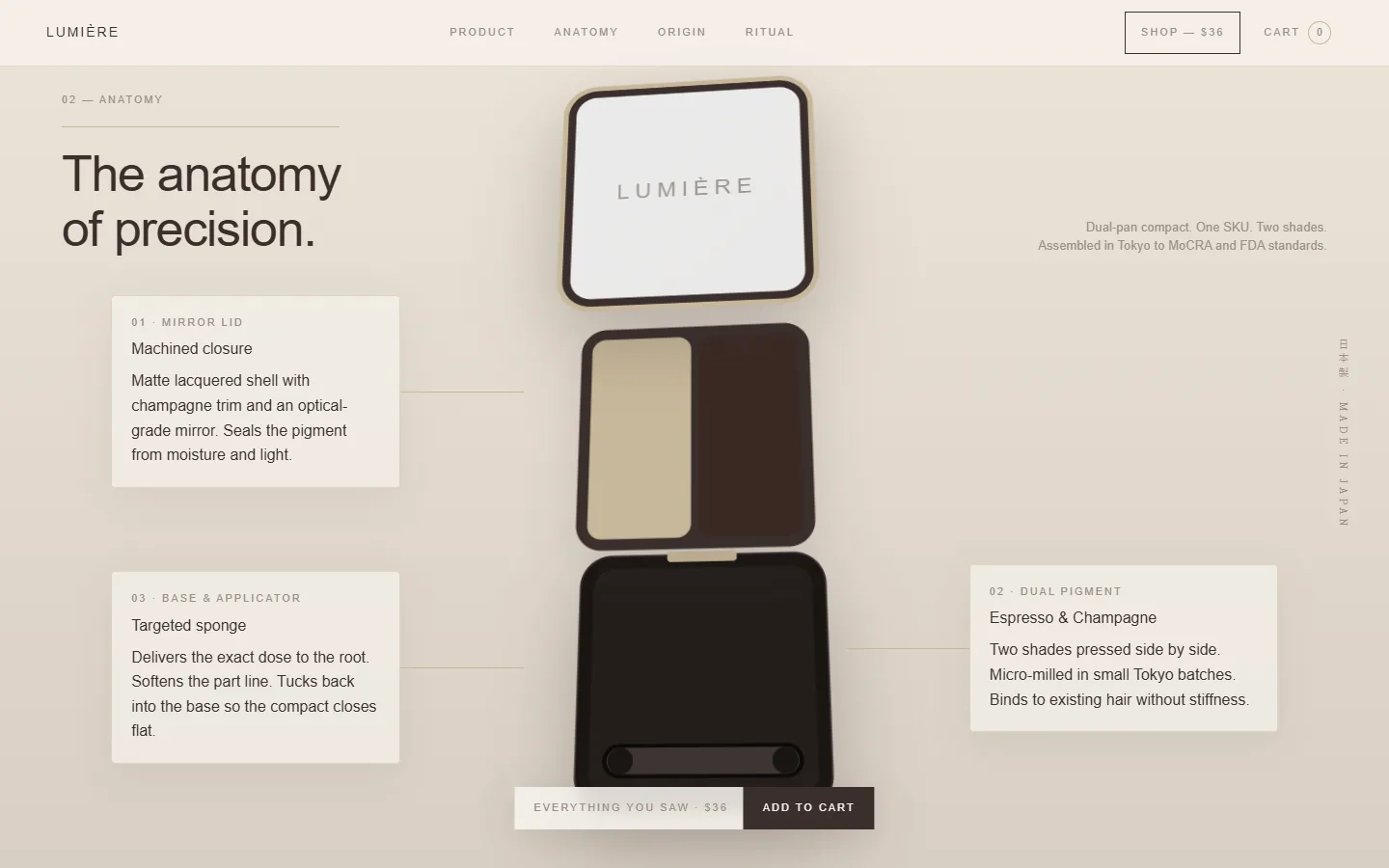
Chapter 02 · narrationScroll, and the compact comes apart. Lid, pigment, sponge. Each piece gets a card that says what it does, and while it sits open, the buy button waits right underneath.
Tap a numbered dot to see why I built it that way. 4 on this screen.
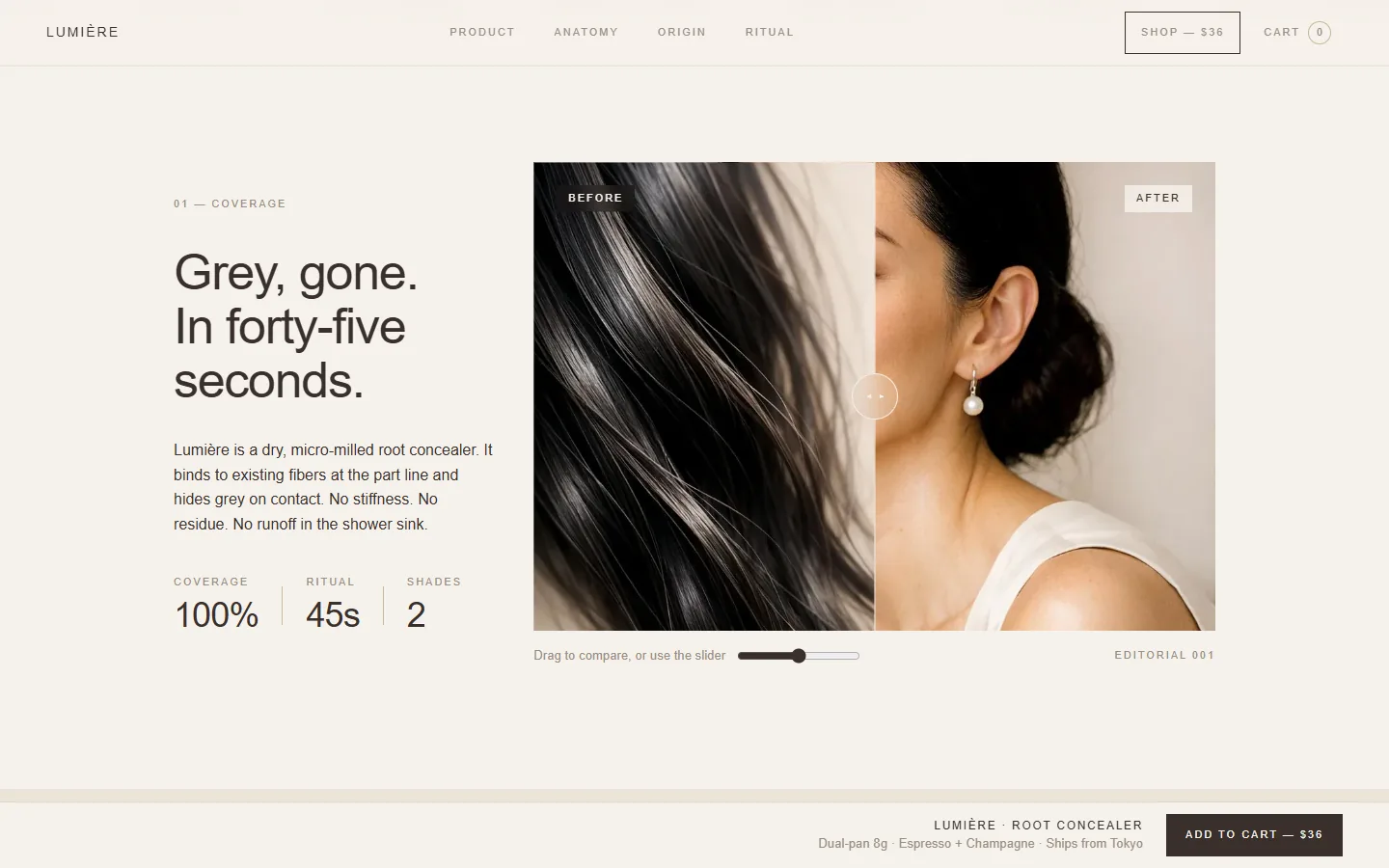
Chapter 03 · narrationDrag the line and the grey disappears. The before and after does the selling, and three numbers beside it answer the quick questions.
04The cartBuying, without leaving the page
hiiqbiz.com/demo-gallery/lumiere/site/Desktop
Tap a numbered dot to see why I built it that way. 4 on this screen.
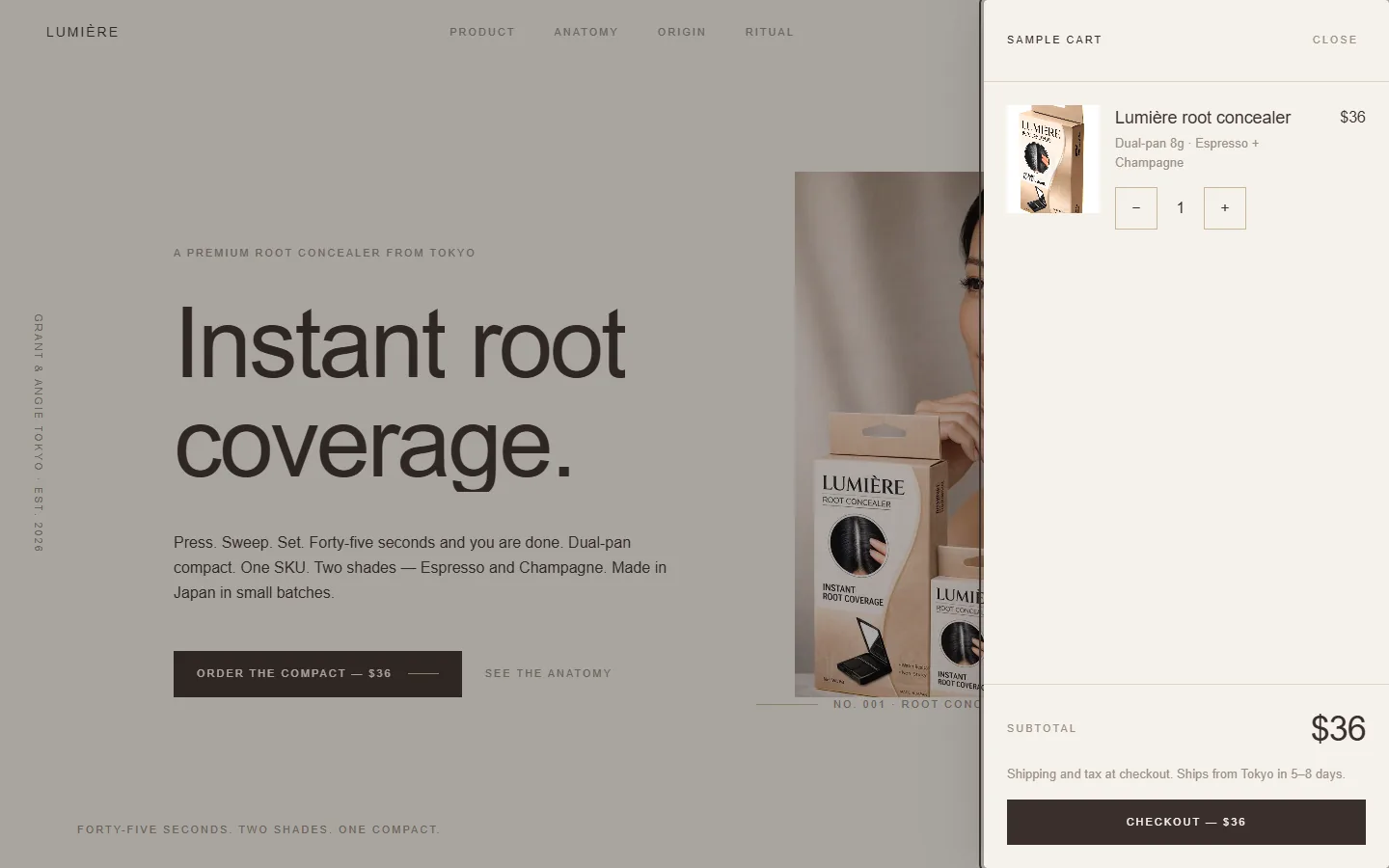
Chapter 04 · narrationAdd to cart opens a cart on the side. Change the quantity, watch the total, press checkout. It shows how buying works, and it sends nothing.
05On a phoneThe button under the thumb
hiiqbiz.com/demo-gallery/lumiere/site/Phone
Tap a numbered dot to see why I built it that way. 3 on this screen.
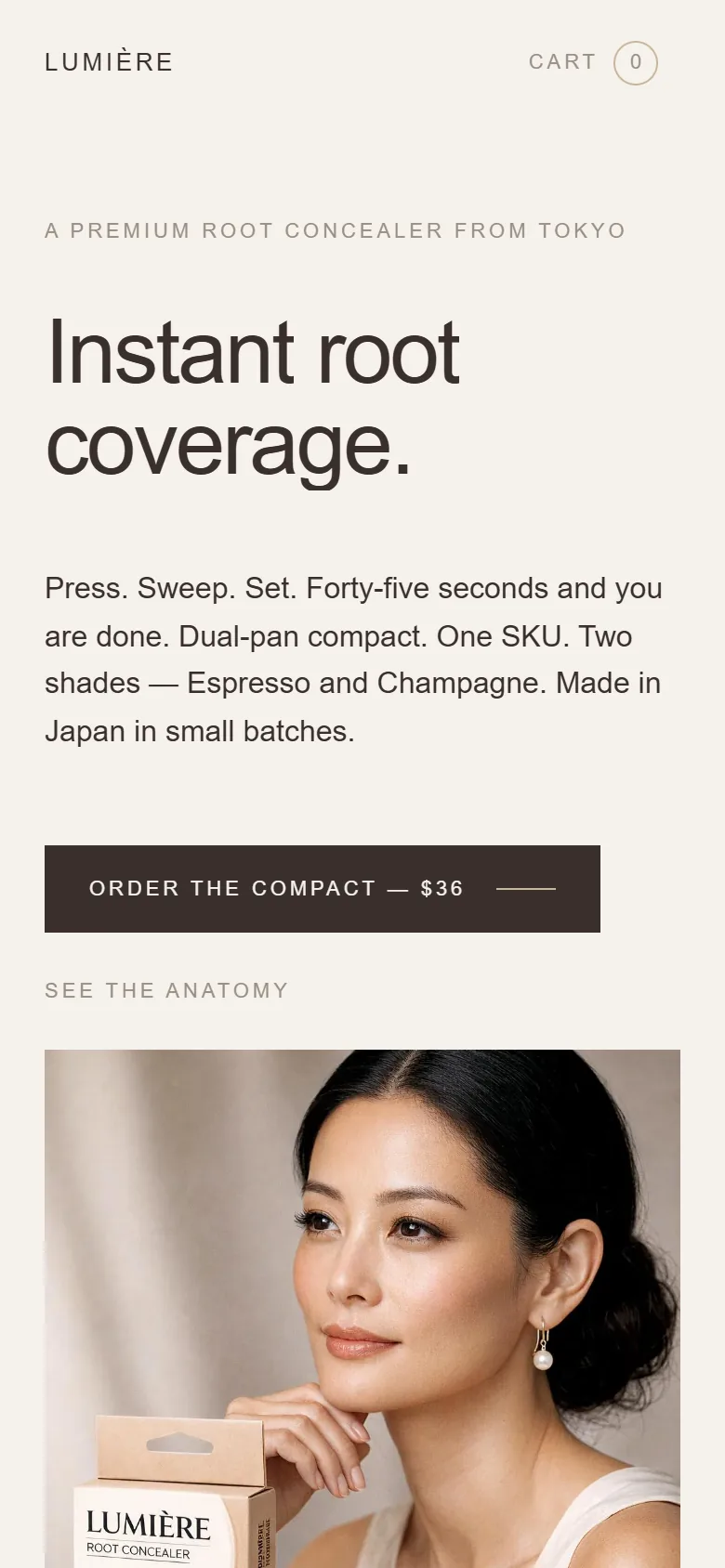
Chapter 05 · narrationOn a phone the menu steps aside, the cart stays in the corner, and the order button stretches across the screen, right under the thumb.
What changesA shopper sees what is inside the product, sees it work, and can buy it from any point on the page.
Price on the button. Comes apart. Drag to compare. Cart on the side. Thumb first. Sample product.
Price on the buttonComes apartDrag to compareCart on the sideThumb firstSample productPrice on the buttonComes apartDrag to compareCart on the sideThumb firstSample productPrice on the buttonComes apartDrag to compareCart on the sideThumb firstSample productPrice on the buttonComes apartDrag to compareCart on the sideThumb firstSample product
02 / WhyThe same rules on every job
Built thesame wayevery time.
One product, two pages: the shop next door lines up the choices, this one tells the story. Same rules underneath. Here are the three you just saw.
Rule 01
Say the price where the button is.
Every buy button on this page carries the price. A shopper who has to hunt for what it costs is a shopper who leaves.
Rule 02
Let the product explain itself.
Take it apart, show it working, let her drag the line. Seeing beats reading, and it is more fun.
Rule 03
Keep buying one tap away.
A cart in the corner, a bar that follows, a button inside the story. Wherever she decides, the way to buy is already there.
Want to take it apart yourself?
The whole demo page lives here on hiiqbiz.com: the compact that comes apart, the before and after, the two shades and a sample cart. The cart shows how buying works and sends nothing.